

CLIENT University Project
TECHNOLOGY python, AR, Motion Tracking
MY JOB Concept & Design
TEAM A. Kalwa
J. Scharf
N. Tajja
Prof. Dr. M. Koelle (Supervision)
CookWith.MI is an interactive AR-based mini game designed to encourage students to stay active during study breaks. The game uses full-body motion tracking and a spatial user interface to replace traditional input devices with natural gestures.
Built with Python, OpenCV, and MediaPipe, the system tracks body movements in real time and maps them directly to in-game actions. Players control the game using gestures such as raising their hands or crossing their arms, creating a seamless and engaging interaction experience.

The project addresses a common issue in academic environments: lack of physical activity during long study sessions.
The idea was to create a low-effort, highly accessible activity that students can use during short breaks without requiring extra motivation or setup. The result is a simple AR game where players catch food items while avoiding obstacles, using their body as the primary controller.
By combining movement, short play sessions, and a competitive leaderboard, the game encourages both physical activity and social interaction.
The interaction design is based on a non-WIMP, gesture-driven interface, where the user interacts with the system through natural body movements instead of traditional input devices.
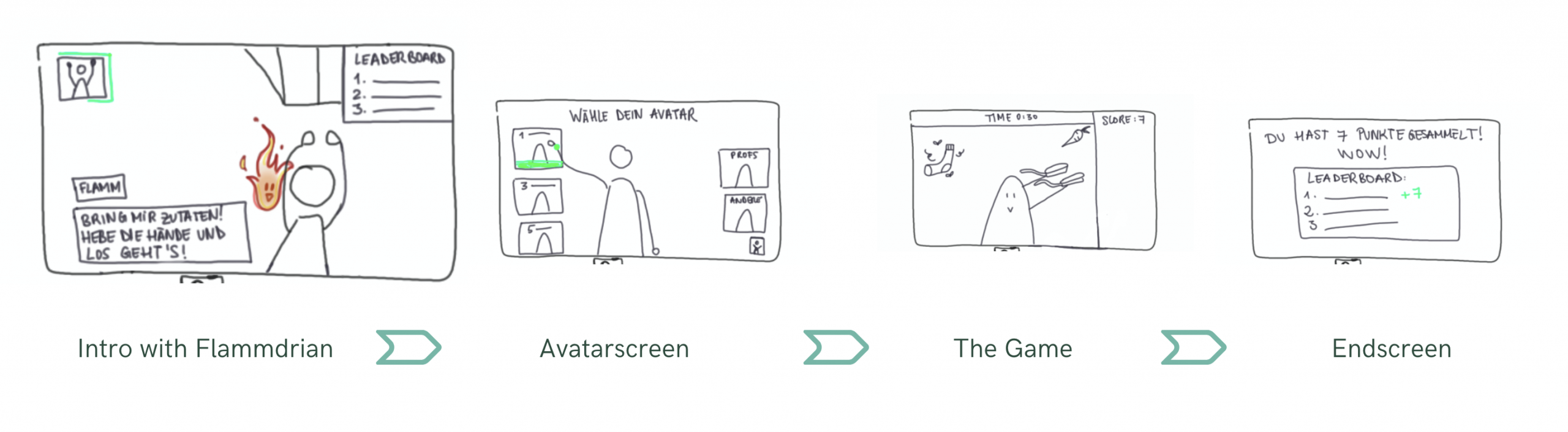
The user flow was designed to be simple, intuitive, and learnable within seconds.
Players are first introduced to the game by a virtual character, which guides them to raise their hands to start. This initial interaction acts as a low-threshold entry point, teaching the core interaction implicitly.
The flow continues with avatar selection and transitions into the main game through a short countdown, giving users time to prepare. During gameplay, users receive continuous visual and auditory feedback, helping them understand their performance and stay engaged.
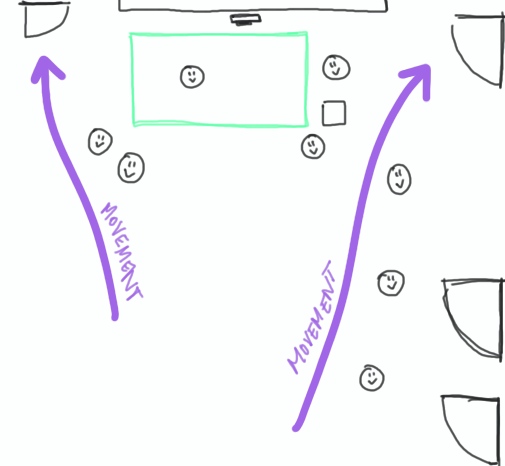
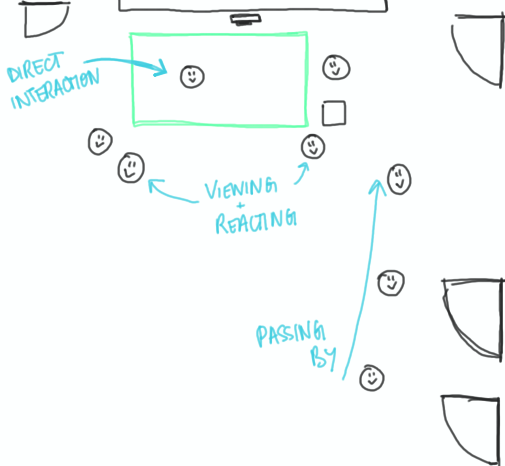
To maximize engagement, we leveraged the honeypot effect when choosing the installation location.
The game was designed to be placed in a high-traffic area within the university building, where students naturally pass by. This ensures visibility without being intrusive, allowing curiosity and social observation to draw users into interacting with the system.
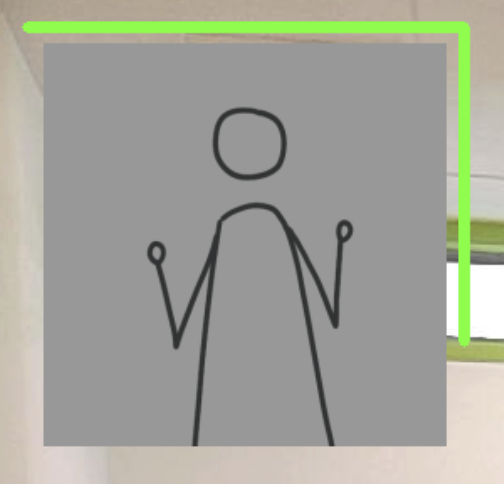

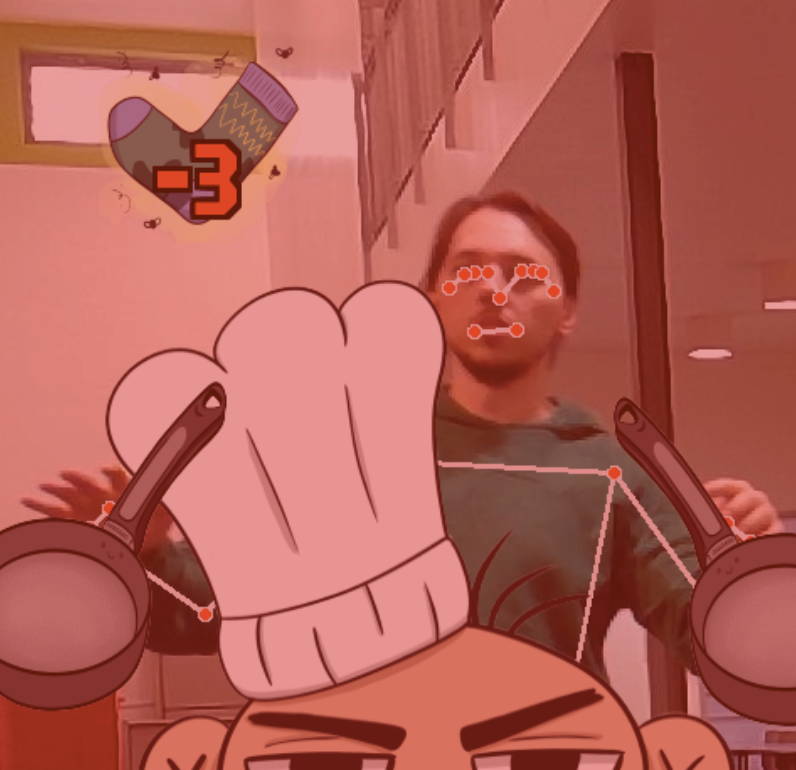
The design heavily focuses on usability, accessibility, and clear interaction cues.
These mechanisms ensure that users always understand what to do, what is happening, and what happens next, even without prior instructions.
I was primarily responsible for designing the interaction concept of the game.
This included developing the core gesture-based interactions and ensuring that the overall experience is intuitive, accessible, and easy to learn without explicit instructions. I focused on aligning the interaction design with established HCI principles such as affordances, feedback, and clear signifiers.
In addition, I led the analysis and testing phases, including user evaluations and iterative refinement cycles. Based on user feedback, I helped identify usability issues and continuously improved the interaction flow and clarity of the system.
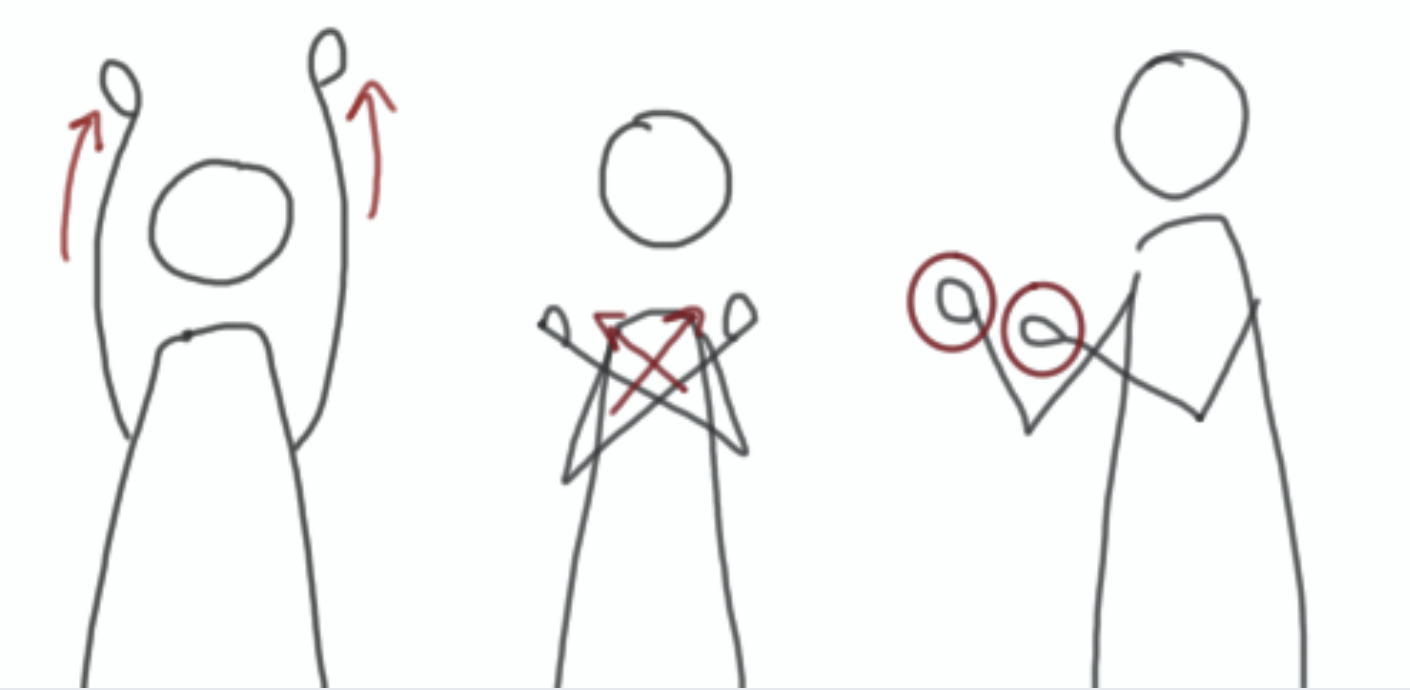
The demo video shows how users interact with the system using body movements, from onboarding to gameplay, and demonstrates the real-time tracking and feedback mechanisms in action.
This project provided hands-on experience in human-computer interaction, spatial interfaces, and user-centered design.
A key learning was the importance of iterative testing and user feedback. Design decisions that seem intuitive can only be validated through real user interaction. Conducting user tests helped us refine interaction clarity, improve feedback mechanisms, and better align the system with user expectations.
It also highlighted how combining simple mechanics with intuitive interaction design can create engaging experiences with relatively low complexity.